


-
 Tim Ford
- PowerBuilder
- Thursday, 4 December 2025 11:13 PM UTC
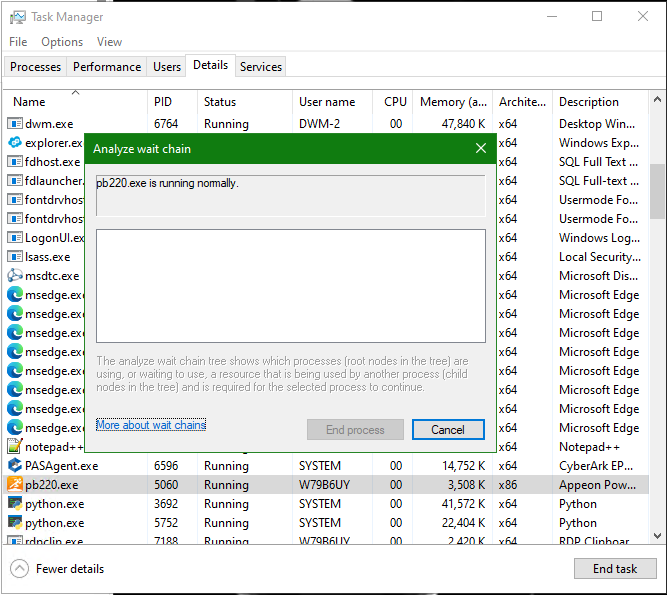
I am having issues launching the PB 2022 R2 IDE (22.1.0.2819). I came back from some time off to find my Visual Studio 2022 had been uninstalled from my VM. Since that point I have not been able to launch the PB IDE on that VM. I have reinstalled Visual Studio and have uninstalled/reinstalled PB 2022 R2 as well, but still nothing. I am also not seeing any errors in the Windows Event Viewer. After "launching" PB, I am seeing "Appeon PowerBuilder 2022 R2 (32 bit)" showing under "Background processes" in Windows Task Manager. When I right-click on that and "Go to details", and then right-click on pb220.exe and select "Analyze wait chain", it tells me that "pb220.exe is running normally".
I have compared the Visual Studio components that are installed on this VM with another VM where PB 2022 R2 is running fine, and they appear to be the same with the exception that the VM where PB is running has VS 2022 Professional installed and the VM where PB is not running has VS 2022 Enterprise installed.
Any assistance with this would be greatly appreciated!
Find Questions by Tag
Helpful?
If a reply or comment is helpful for you, please don’t hesitate to click the Helpful button. This action is further confirmation of their invaluable contribution to the Appeon Community.