


-
 Jordi Ferrer
- PowerBuilder
- Wednesday, 13 May 2026 01:59 PM UTC
Hello, I hope someone can help.
Until a few months ago, we were distributing/updating our application through PowerClient using version PB2019. PowerClient communicates with an IIS server where we have the compiled application via a URL like https://xxxxx/Euromus(Front) without any issues.
A few weeks ago, we migrated the application to PB2025 and compiled it with a different name for better control, and the new URL is https://xxxx/Euromus_Front.
For most of our clients, the PB2025 version in PowerClient has worked correctly, but on one institutional client where browsing is done via proxy on port 8080, the 2019 PowerClient client can connect to the server, but the 2025 PowerClient version cannot.
Here's a screenshot of the error:
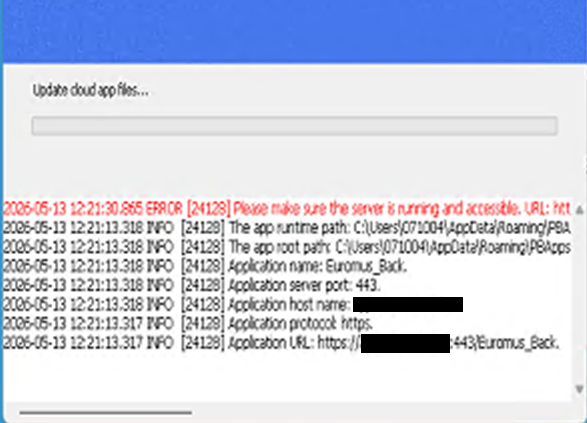
What does PowerClient 2025 use to connect to the internet? How can I force it to use the proxy?
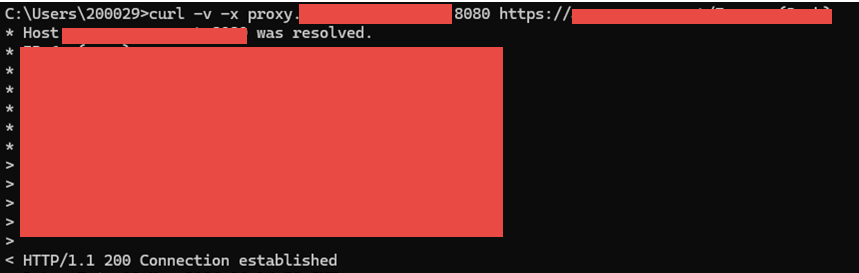
If I'm using a proxy, curl doesn't work,
C:\Users\071004>curl -v https://xxx:443/Euromus_Back
* Host xxxx:443 was resolved.
* IPv6: (none)
* connect to xxxx port 443 from 0.0.0.0 port 62314 failed: Timed out
* Failed to connect to app.euromus.cat port 443 after 21035 ms: Could not connect to server
but it does with the proxy:
Find Questions by Tag
Helpful?
If a reply or comment is helpful for you, please don’t hesitate to click the Helpful button. This action is further confirmation of their invaluable contribution to the Appeon Community.