


-
 Sowmya Murthy
- PowerBuilder
- Tuesday, 16 December 2025 04:53 AM UTC
Hello Sir/Madam
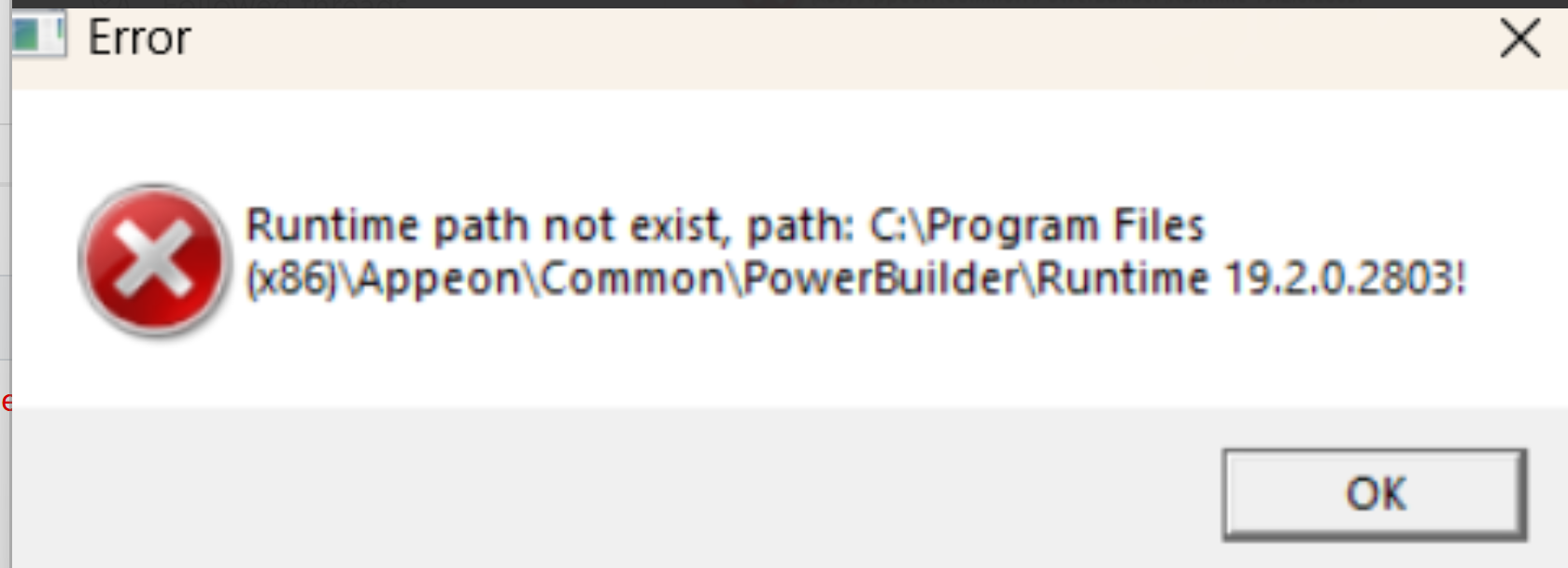
I am working on an existing windows 32 bit application built in Power builder (below2019) in the past. Recently I have the new version upgraded PB 2019 R3 installed. I am unable to deploy the latest PB2019 R3 version. When I deploy the application in the past, I only used to copy the .pbd files along with the exe to users machine when fixing a bug. Teh latest deployed exe works well for me, however, fails on a user's machine when pasting the files above. It is expecting the Runtime version "Runtime 19.2.0.2803" on a user's machine. This was not the case in the past. Can you please help me to figure out what all is needed for the recent built exe to work for Users. I see a folder "Runtime 19.2.0.2803" exist on my machine and probably the reason it works fine for me. When I try to create a runtime msi it throws an error that Framework 4.0 is needed. This is pretty old.
Can you please in detail mention the step by step process to get to work for users please .
I am in a rush and request the reply at the earliest. Thanks in advance.
Find Questions by Tag
Helpful?
If a reply or comment is helpful for you, please don’t hesitate to click the Helpful button. This action is further confirmation of their invaluable contribution to the Appeon Community.