


-
 Chen Mey Lee
- PowerServer
- Friday, 10 April 2026 01:31 AM UTC
Hi Appeon Community,
Our apps are still on PowerBuilder/PowerServer 2021 Build 1506. We understand that this version is obsolete and that we need to upgrade to a newer version. However, hoping you can help us with an issue we are having.
Our apps have been working fine since 2021. However, over the past few days we have started having an issue which we have not been able to troubleshoot.
The problem is as follows…
Users that already have the Cloud App Launcher (version 21.0.0.1506) and service installed on their pc from a few weeks/months ago are fine. They are able to open our apps normally.
Users that have installed the Cloud App Launcher recently on their pc (either because they un-installed and re-installed it, or because they are first-time users) are having a problem where the Cloud App Launcher is not getting detected as being installed for them. When they click on the url link to launch our PB apps from our portal the Cloud App Launcher downloads over and over in a loop. A screenshot of what they keep getting is attached.
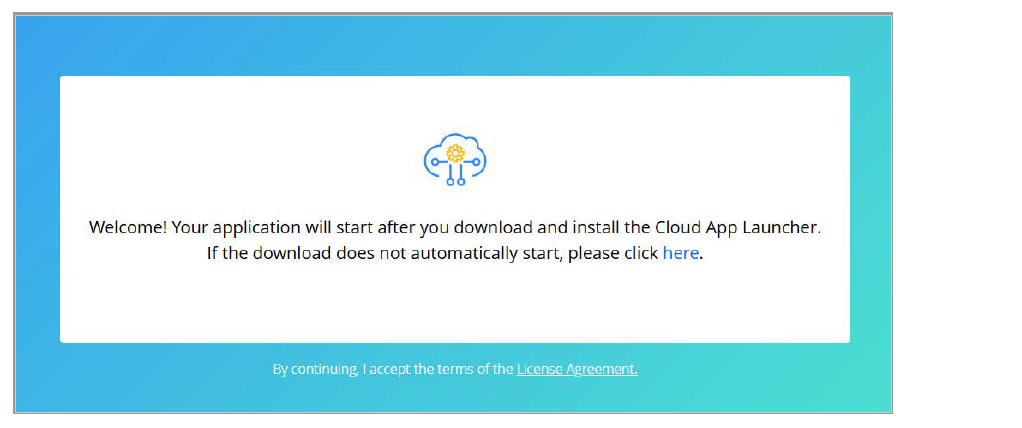
They cannot get to the next step to download the application and runtime files.
We don’t know why this is happening only for users that have installed the Cloud App Launcher recently on their pc, while other users that have had the Cloud App Launcher installed from a few weeks/months ago are working fine.
There have been no recent changes to our applications or back-end web/app servers. We have tried:
• Both Edge and Chrome. Reset all settings, cookies and tried private browsing.
• Made sure that Site settings permissions in Edge/Chrome are set to "Allow" for all the relevant options.
• Installing the Cloud App Launcher stand-alone with Run as Administrator rights, after clean un-install, registry clean, etc.
Do you have any suggestions on what else we can try for a short-term solution besides doing a full PB upgrade?
Thanks.
Find Questions by Tag
Helpful?
If a reply or comment is helpful for you, please don’t hesitate to click the Helpful button. This action is further confirmation of their invaluable contribution to the Appeon Community.