


Regression Testing: Where AI Has Delivered Real Business Value
One of the most successful applications of AI within our organisation has not been code generation at all. It has been automated regression testing.
Like many development teams supporting mature business applications, we face a common challenge. Every release contains changes that must be verified, yet comprehensive manual regression testing is time-consuming, expensive and difficult to perform consistently.
To address this, we have used AI tools to help build and execute a comprehensive regression testing framework.
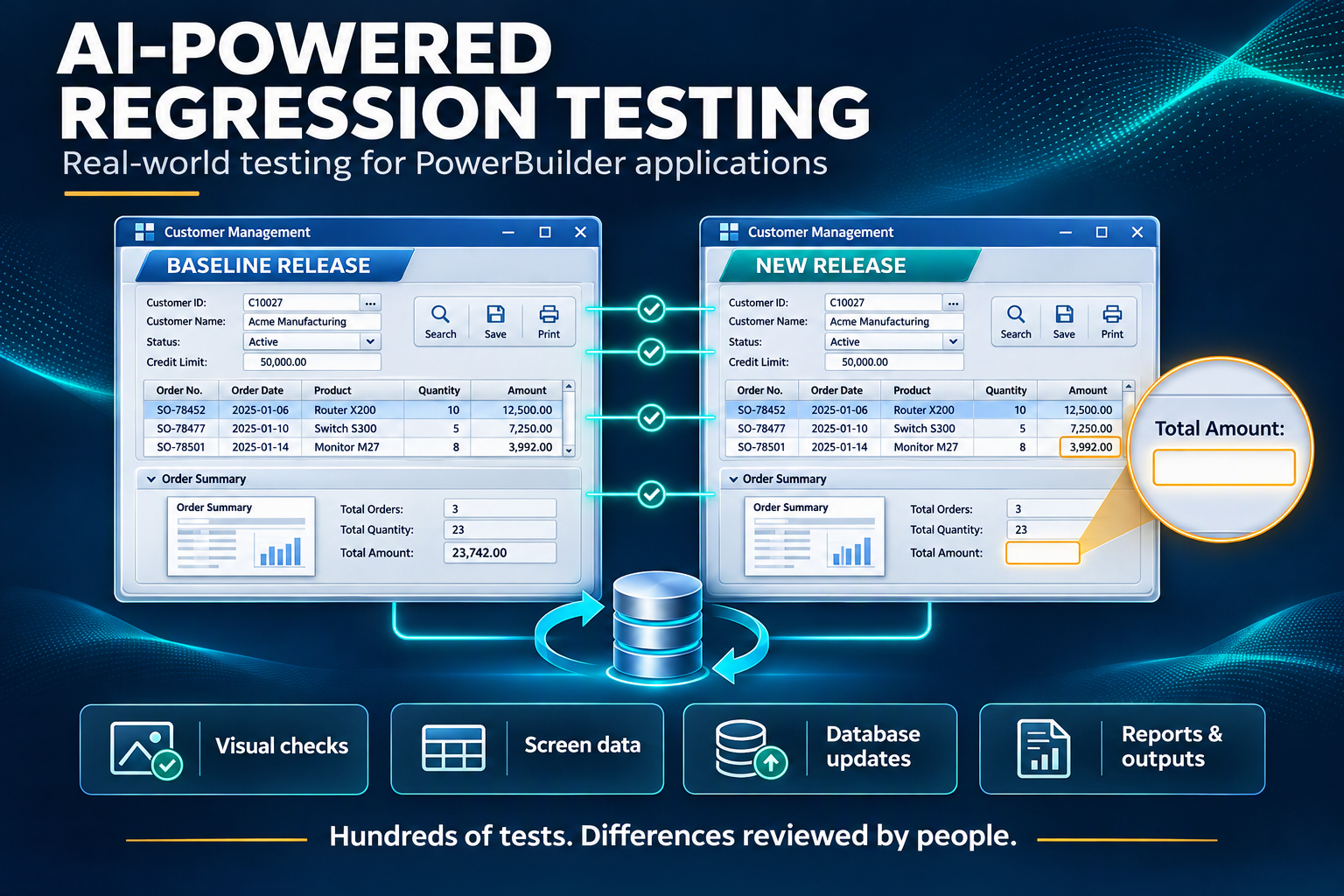
The process works by running hundreds of predefined tests against a known-good production release and then repeating the same tests against a new release candidate.
The results are compared automatically across multiple dimensions.
Visual Validation
Most automated testing focuses purely on data values or object recognition.
However, users interact with what they see on screen.
Our testing captures screenshots throughout the execution process and compares the visual output between releases.
This allows us to identify issues that traditional automated tests might miss, such as:
- Incorrect colours.
- Missing controls.
- Layout changes.
- Misaligned fields.
- Display problems caused by font or style changes.
For example, data may technically be present on a screen, but if it is displayed as white text on a white background, the application will still fail from the user's perspective.
Visual comparison testing identifies these issues immediately.
Data Validation
Screen content is validated independently from the visual comparison process.
Values displayed to users are extracted and cross-referenced against the underlying database.
The framework analyses the SQL used by DataWindows and application logic to verify that the correct information is being presented.
This ensures that a screen not only looks correct but is displaying accurate data.
Transaction Validation
Where application processes perform updates, inserts or deletions, the resulting database changes are automatically verified.
The framework confirms that the intended transaction has occurred correctly and that no unintended side effects have been introduced.
This provides confidence that business processes continue to behave as expected following a release.
Output and Report Validation
Reports, exports and generated outputs are captured and stored during testing.
These outputs are then compared against baseline versions to identify differences that may indicate regressions.
This is particularly valuable for systems that produce customer-facing documents, management reports or regulatory outputs.
Fully Automated Test Environments
The entire process is automated.
Databases are backed up and restored automatically between test runs.
Known-good baseline releases are executed using identical test scenarios.
The new release is then tested using the same inputs and processes.
Only differences identified between the baseline and candidate versions require human review.
This shifts effort away from executing repetitive tests and towards analysing genuinely meaningful changes.
Experience Still Matters
Interestingly, this approach reinforces an important point about AI.
AI can dramatically reduce the effort involved in building, executing and analysing regression tests.
What it cannot do is determine whether a detected difference represents a bug, an intentional enhancement, or a change in business requirements.
That final judgement still requires knowledge of the application, the users and the underlying business processes.
In our experience, AI has not removed the need for testing expertise. It has allowed skilled testers and developers to focus their attention where it adds the most value.
Comments (0)