


Visual Theme Designer for PowerBuilder 2025 R2

Visual Theme Designer for PowerBuilder 2025 R2
A practical demo for choosing a palette, editing colors, checking them on real controls, and generating a distributable theme without changing the original template.
Theme design should not be a blind cycle of editing JSON, running the application, and starting over. This project turns palette work into a visual, validated, and repeatable experience.
What the demo solves
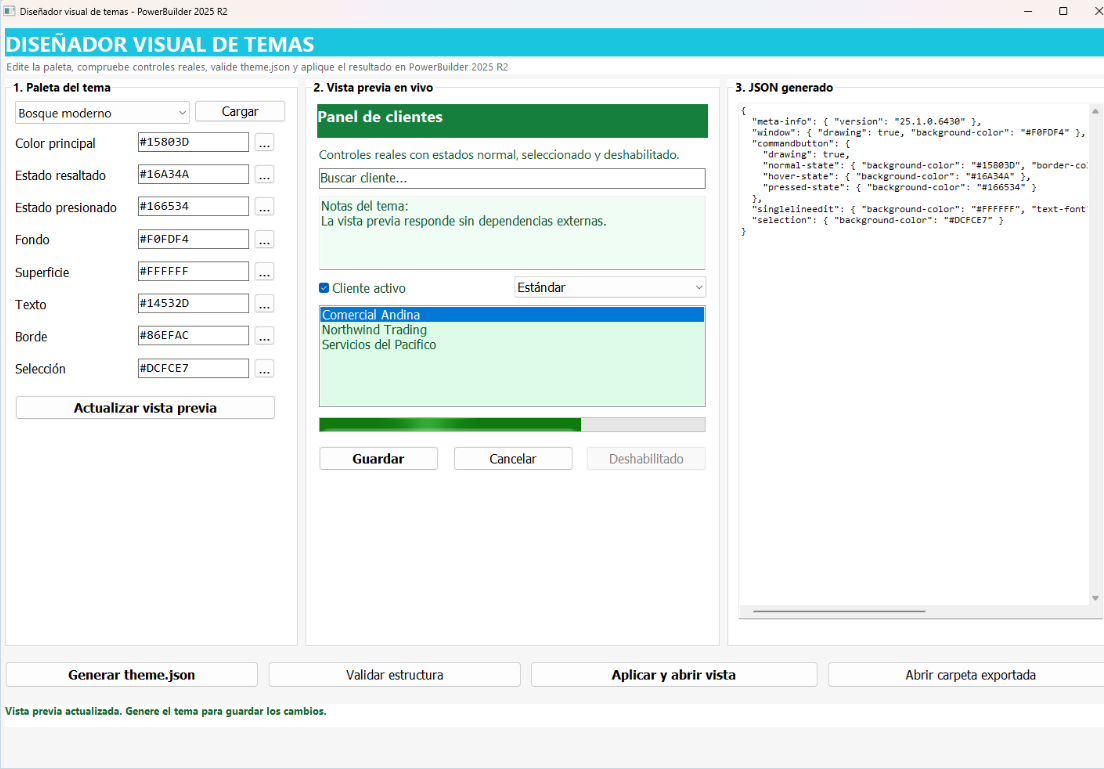
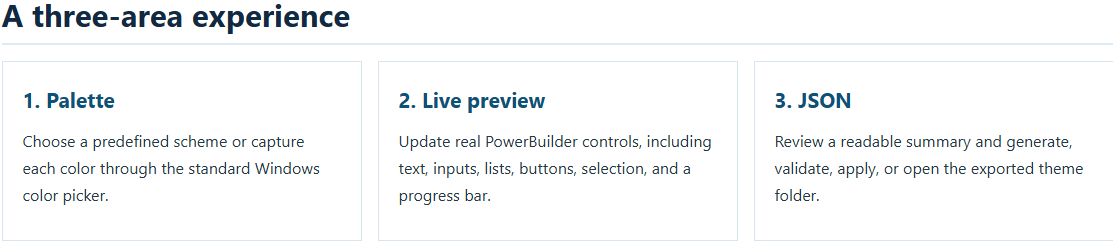
The designer brings normally separate tasks into one window: selecting a starting palette, adjusting eight #RRGGBB colors, viewing the result on PowerBuilder controls, generating a complete theme.json, validating its syntax, and applying it to a newly created window.
The solution starts from the official theme in plantillas\Tema Base Azul. That template remains untouched; editable output is written to temas\Tema Generado with a dedicated configuration that excludes the designer itself from global theme drawing.
From hexadecimal color to theme
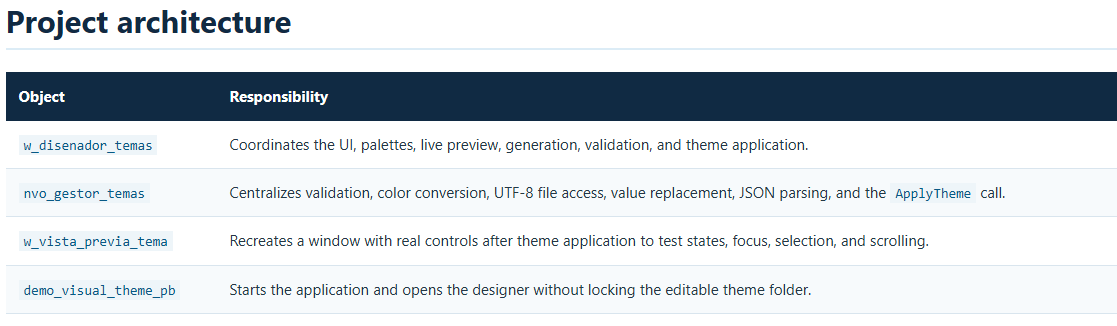
of_validar_color_hexadecimal verifies that each value has seven characters, begins with #, and contains hexadecimal digits only. Conversion functions translate between web notation and the PowerBuilder color value, feeding both the JSON document and the preview controls.
The eight values represent primary, hover, pressed, background, surface, text, border, and selection colors. The UI prevents theme generation when any value is invalid and presents a specific status message to the user.
Safe generation from a template
nvo_gestor_temas.of_generar_tema reads the official template, replaces its reference colors, and saves the resulting document. The process preserves all theme image assets and changes only the expected color values.
ls_json = of_reemplazar_todo(ls_json, "#0078D7", as_principal)
ls_json = of_reemplazar_todo(ls_json, "#3393DF", as_hover)
ls_json = of_reemplazar_todo(ls_json, "#0060AC", as_presionado)
li_resultado = of_guardar_archivo_utf8(as_destino, ls_json)
In addition to theme.json, the demo creates theme-disenador.json. This configuration keeps the designer window unthemed so its dynamic preview continues to display the captured colors accurately.
UTF-8 and JsonParser validation
Reading uses FileReadEx and converts the Blob with EncodingUTF8!. Writing follows the reverse path with Blob(as_contenido, EncodingUTF8!). Names, messages, accents, and special characters therefore remain intact.
Before the result is applied, of_validar_json creates a JsonParser, loads the document, and returns the precise error when syntax is invalid. Validation goes beyond file existence: it also requires content and parseable JSON.
Application and cache-safe refresh
Once the file is valid, of_aplicar_tema calls ApplyTheme with an existing folder. The designer then closes the previous preview when necessary and opens w_vista_previa_tema, creating fresh controls under the active theme.
To refresh an applied palette, the window alternates between temas\Vista Temporal A and temas\Vista Temporal B. It copies both JSON files there and changes the path passed to ApplyTheme; rotating the path prevents cached resources from hiding recent edits.
How to use it
- Open
Demo_visual_theme.pbwin PowerBuilder 2025 R2 and run the target. - Select a palette or edit the eight colors; use the ellipsis buttons to open the picker.
- Click Actualizar vista previa and inspect contrast, states, and selection.
- Click Generar theme.json to create the output in
temas\Tema Generado. - Use Validar estructura to parse the file with
JsonParser. - Click Aplicar y abrir vista to load the theme and inspect a recreated window.
Ways to extend the project
The foundation can be expanded with additional theme schema properties, corporate palette import, automated contrast checks, version history, and packaged export. Keeping the workflow split between the window and the NVO makes these improvements possible without moving complex logic into visual events.
The demo's main value is traceability: the same palette is previewed, serialized in UTF-8, validated, and tested through the actual PowerBuilder API.
Https://blogluisavilan.vercel.app
Luis Avilan
This message has an attachment file.
Please log in or register to see it.
Please Log in or Create an account to join the conversation.