


From Code to Clarity: A Visual CRUD Matrix in PowerBuilder

From Code to Clarity: A Visual CRUD Matrix in PowerBuilder
How to analyze DataWindows, windows, user objects, stored procedures, and triggers, turning scattered dependencies into a visual matrix that can be exported to Excel.
Introduction
In a mature PowerBuilder application, data-access rules are rarely concentrated in one place. A DataWindow queries a table, a window uses several DataObjects, a stored procedure updates records, and a trigger completes another operation. Over time, the relationship between application objects and database tables becomes difficult to see.
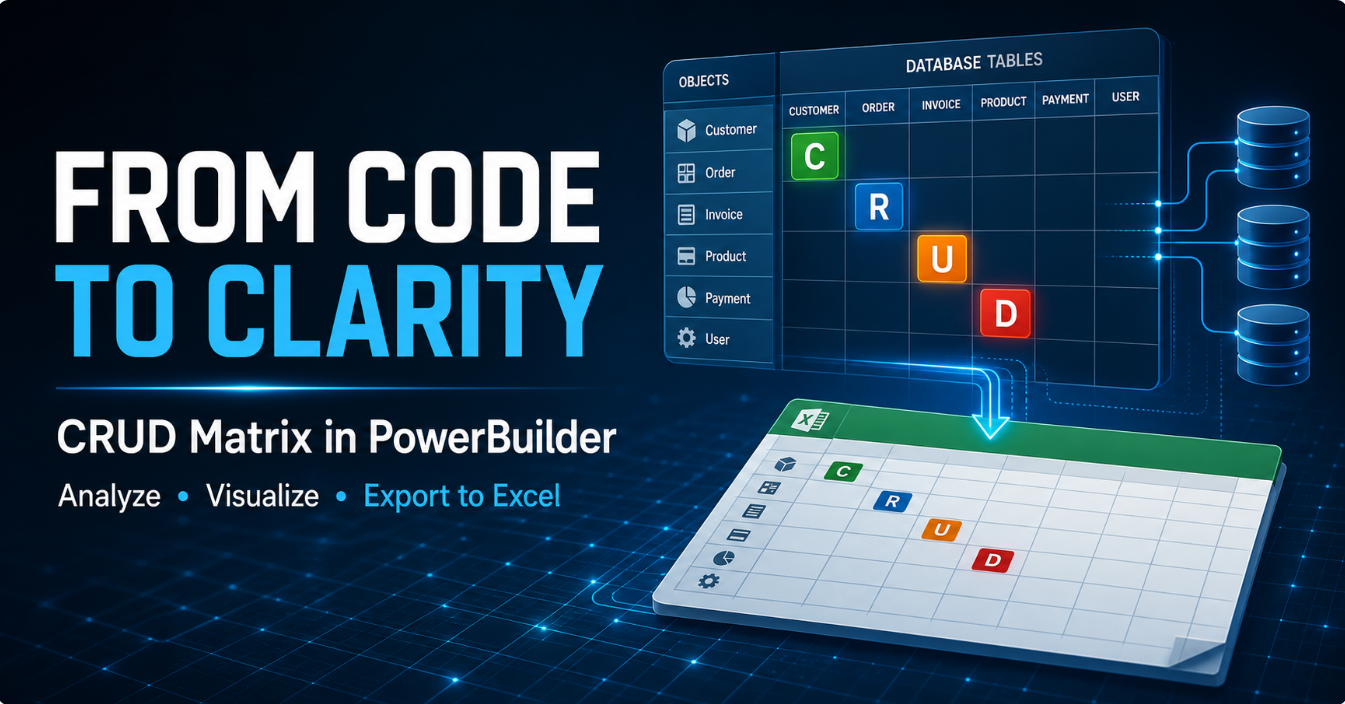
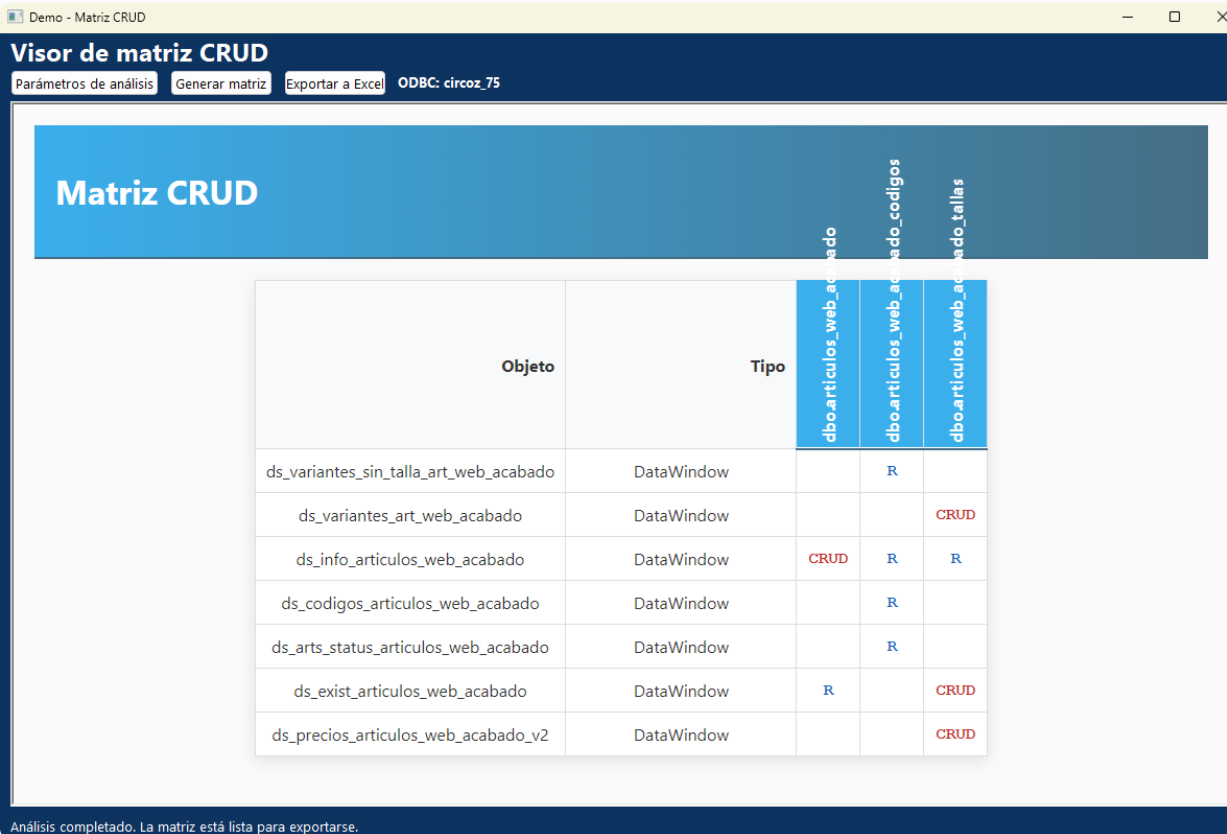
The Demo_CRUD_Matrix project turns that scattered information into an explorable view. A developer selects an ODBC connection, filters the tables or columns to study, chooses a target or PBL, and generates a matrix in which each row is an object and each column is a table or field. Every intersection displays the detected operation:
C create, R read, U update, and D delete.
The goal is not to replace a complete static-analysis platform. The value of this demo is to show how native PowerBuilder APIs, database metadata, object exports, and an HTML interface can produce useful technical documentation quickly.
What problem does a CRUD matrix solve?
A CRUD matrix answers a fundamental question: which component touches each piece of data, and with what intent? This knowledge is valuable during migrations, impact analysis, audits, refactoring, and onboarding.
| Situation | Without a matrix | With the demo |
|---|---|---|
| Table change | Manual searches across many PBL files. | A visual list of related objects. |
| Refactoring | Risk of overlooking DataWindows or procedures. | An initial map that defines the scope. |
| Audit | Difficult to explain who creates, reads, or changes data. | Visible and exportable C/R/U/D classifications. |
| Documentation | Technical documents quickly become outdated. | Repeatable analysis based on the target and database. |
A compact demo architecture
The solution is intentionally small. It contains only the objects required to demonstrate the complete workflow:
| Object | Responsibility |
|---|---|
nvo_motor_matriz_crud |
ODBC connection, metadata discovery, PBL inspection, and result JSON generation. |
w_crud_params |
DSN, table, column, procedure, trigger, and PBT/PBL selection. |
w_crud_matrix |
Analysis orchestration, HTML presentation, and XLSX export. |
demo_crud_matrix |
Application object that opens the main window. |
The NVO exposes only the six operations called by the windows:
public function boolean of_esta_conectado ()
public function boolean of_conectar_base_datos (...)
public function long of_obtener_tablas (...)
public function long of_obtener_columnas (...)
public function string of_analizar_crud (...)
public function long of_obtener_dsn_odbc (...)
Parsing and source-extraction helpers remain private. This provides a small public surface and prevents the windows from depending on implementation details.
1. Configuring the analysis
The w_crud_params window starts by enumerating ODBC DSNs from the Windows Registry. After connecting, it queries information_schema.tables and uses a SQL Server fallback based on sys.tables.
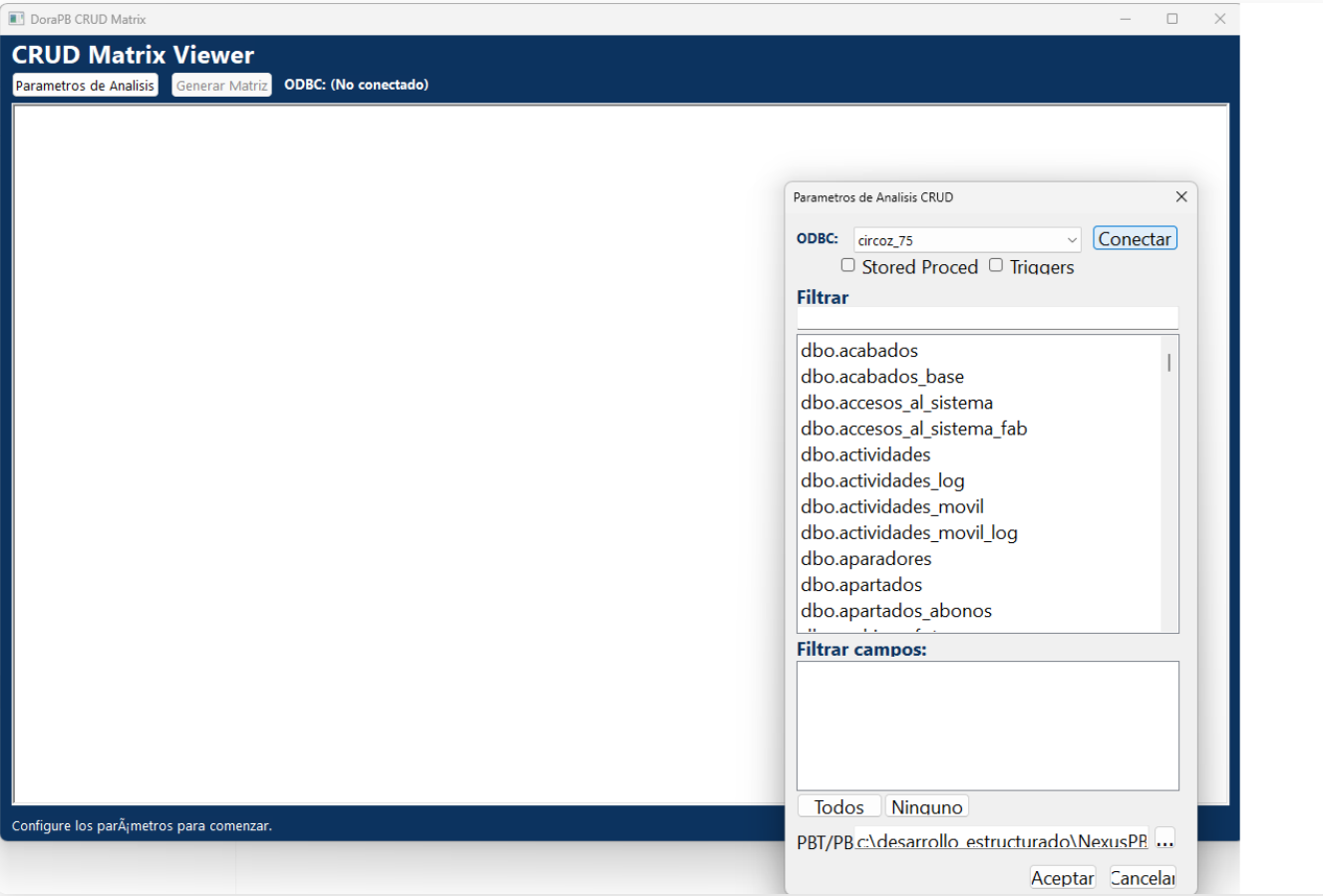
The interface can reduce the amount of information before scanning:
- Filter tables by name.
- Select one or more tables.
- Load columns for the selected tables.
- Limit the matrix to specific fields.
- Include stored procedures and triggers.
- Choose a
.pbttarget or a.pbllibrary.
schema.table format. It can therefore load columns for dbo.customers with table_schema = 'dbo' and table_name = 'customers'.2. Discovering libraries and objects
When a target is selected, the engine reads its LibList property to resolve the associated PBL files. Native functions such as LibraryDirectory and LibraryExport then enumerate and extract source code from DataWindows, windows, and user objects.
ls_dir = LibraryDirectory(ls_pbl, DirDataWindow!)
ls_source = LibraryExport(ls_pbl, ls_name, ExportDataWindow!)
For windows and user objects, the scan searches for DataObject references. It resolves each referenced DataWindow and analyzes its syntax, allowing the matrix to attribute the dependency to the visual component that uses it.
3. Detecting CRUD operations
For a DataWindow, the demo examines elements such as table(name=...), from clauses, joins, and the update property. A retrieve-only source is classified as a read dependency. When the DataWindow can update data, the relationship may be marked as CRUD.
If stored procedures or triggers are enabled, the engine queries sys.objects and sys.sql_modules. The recovered SQL is scanned for INSERT, SELECT, UPDATE, and DELETE statements related to the filtered tables.
| Mark | Representative pattern | Meaning |
|---|---|---|
| C | INSERT |
The object creates rows. |
| R | SELECT, FROM, JOIN |
The object reads data. |
| U | UPDATE or an updatable DataWindow |
The object modifies rows. |
| D | DELETE |
The object deletes rows. |
4. A JSON contract between analysis and presentation
The engine returns JSON with three collections: tables, objects, and edges. This separates analysis from presentation and makes other visualizations possible.
{
"tables": ["dbo.products", "dbo.product_sizes"],
"objects": [
{"name": "d_products", "type": "DataWindow"}
],
"edges": [
{"from": "d_products", "to": "dbo.products", "crud": "CRUD"}
]
}
w_crud_matrix injects this JSON into an HTML document, builds the table dynamically, and displays it with WebBrowser.NavigateToString(). Headers remain visible, table names use a vertical layout, and the operations have semantic colors.
5. Exporting a polished native XLSX workbook
The first export approach downloaded HTML with an .xls extension. Excel can interpret that content, but it displays a format warning because the file does not contain a real binary or Open XML workbook. Some CSS styling is also lost.
The current implementation uses OLE automation to create a native workbook. The same matrix JSON is read with JsonParser, and every section is written and styled directly in Excel.
lole_excel.ConnectToNewObject("Excel.Application")
lole_excel.Workbooks.Add()

lole_sheet.Cells(ll_row, ll_column).Value = ls_crud
lole_sheet.Cells(ll_row, ll_column).Interior.Color = RGB(227, 242, 253)

// 51 = xlOpenXMLWorkbook
lole_workbook.SaveAs(ls_path, 51)
The workbook includes a blue title band, a C/R/U/D legend, vertical headers, borders, controlled widths, frozen panes, hidden gridlines, and operation-specific colors. The result is a valid .xlsx file that can be shared without compatibility warnings.
Known limitations
The matrix should therefore be used as an exploration map and documentation aid. A production-grade evolution could include a formal SQL parser, robust JSON escaping, function-level dependency analysis, stored snapshots, version comparisons, and testing across multiple database engines.
Ideas for extending the demo
- Add filters by object type and CRUD operation.
- Display the exact source fragment that produced each relationship.
- Compare two PBL versions and highlight new or removed dependencies.
- Generate HTML, Markdown, or PDF documentation in addition to Excel.
- Analyze global functions, menus, queries, and pipelines.
- Apply architecture rules, such as detecting windows that access sensitive tables directly.
Conclusion
This demo proves that PowerBuilder still provides powerful mechanisms for inspecting its own artifacts. By combining LibraryDirectory, LibraryExport, ODBC metadata, JSON, WebBrowser, and Excel automation, a complex codebase can be transformed into an understandable representation.
A CRUD matrix is more than an attractive table. It is a starting point for impact questions, legacy-system documentation, migration planning, and more precise conversations about data access.
Looking for more practical Po
werBuilder demos?
This project is only one part of the lab. Visit my blog for more technical articles, experiments, and ideas about modernization, integration, and developer tooling.
Https://blogluisavilan.vercel.app
Luis Avilan
This message has an attachment file.
Please log in or register to see it.
Please Log in or Create an account to join the conversation.