


Create Google Meet meetings directly from PowerScript

Create Google Meet meetings directly from PowerScript
A real implementation where native PowerBuilder logic creates the event, invites attendees, obtains the Meet room, synchronizes the calendar, and opens the meeting inside a second WebView2 window.
The demonstration button does not send meeting data from JavaScript. It only raises a PowerBuilder event. The subject, schedule, time zone, attendee, and Google call are all created in PowerScript.
What Meeting Hub demonstrates
PB Google Workspace Meeting Hub integrates a modern HTML interface with real PowerBuilder objects. The application connects a Google account, reads its primary calendar, creates events with Google Meet, requests invitation delivery, and displays the HTTP response without exposing tokens in the interface.
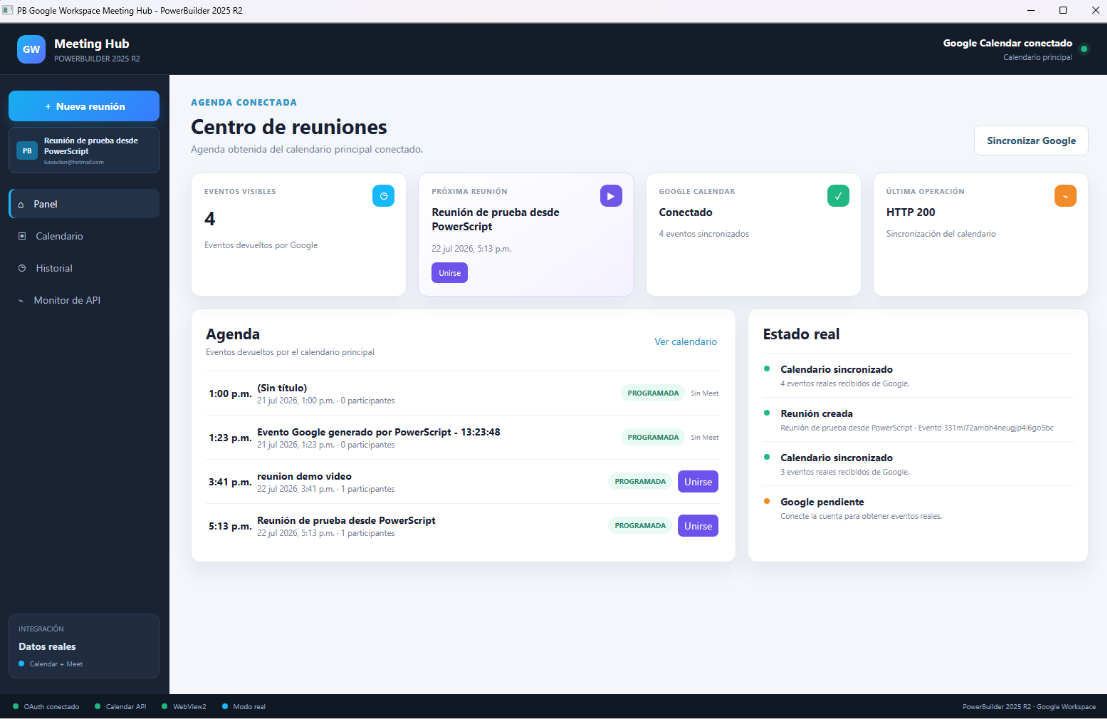
Architecture: the interface requests, PowerScript decides

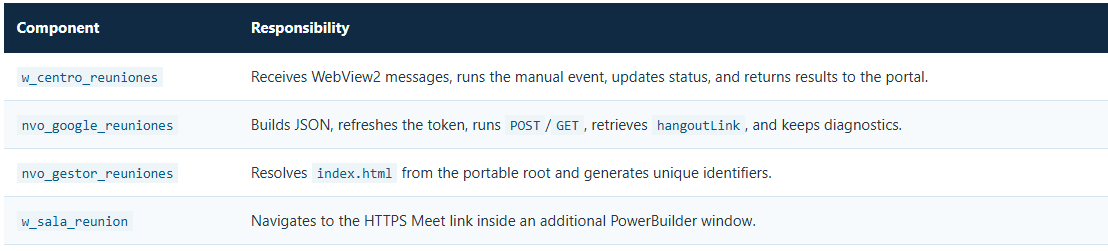
How to create a meeting directly from PowerScript
The project's main teaching point is the ue_creacion_manual_reunion_desde_powerbuilder event. The same pattern can be adapted to an approved purchase order, a confirmed medical appointment, a field-service visit, or any other business rule.
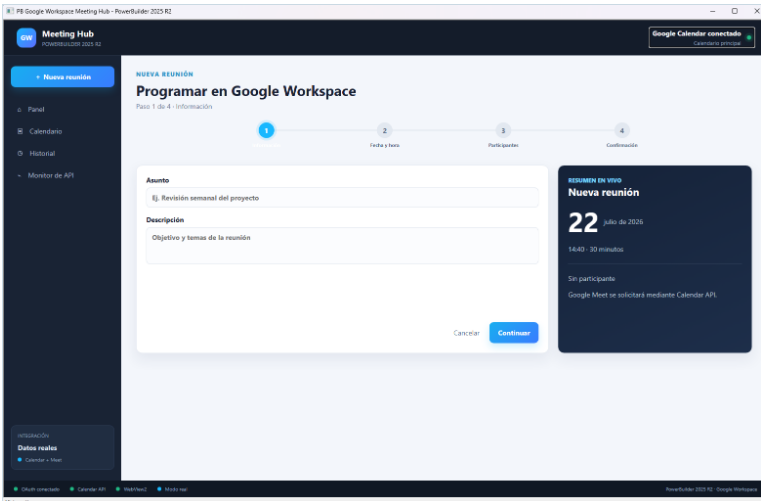
event ue_creacion_manual_reunion_desde_powerbuilder();
/*------------------------------------------------------------------------
Nombre de la funcion: ue_creacion_manual_reunion_desde_powerbuilder
Descripcion: Creación manual de reunión desde PowerBuilder con datos definidos por la lógica de negocio.
Parametros de entrada: Parametros del evento
Parametros de salida: Retorno del evento
Fecha: 22 de julio de 2026
Realizado por: Luis Avilan
------------------------------------------------------------------------*/
String ls_asunto, ls_descripcion, ls_inicio, ls_fin, ls_zona
String ls_correo, ls_identificador, ls_resultado
Integer li_resultado

ls_asunto = "Reunión de prueba desde PowerScript"
ls_descripcion = "Reunión generada por la lógica de negocio nativa."
ls_correo = "luisavilan@hotmail.com"
ls_zona = "America/Mexico_City"
ls_inicio = "2026-07-22T16:00:00"
ls_fin = "2026-07-22T16:30:00"
ls_identificador = inv_gestor.of_crear_identificador()

li_resultado = inv_google.of_crear_reunion( &
ls_asunto, ls_descripcion, ls_inicio, ls_fin, &
ls_zona, ls_correo, ls_identificador, ls_resultado)

If li_resultado = 1 Then
of_enviar_resultado(ls_resultado)
of_enviar_diagnostico_google()
of_sincronizar_calendario_google()
Else
of_notificar_error_google(inv_google.of_obtener_ultimo_error())
End Ifls_asunto, ls_inicio, ls_fin, and ls_correo can come from a DataWindow, transaction, NVO, or event parameters. The integration call remains unchanged.What happens after the NVO call
- The service verifies that a Google account is connected.
- It builds a Calendar resource with start, end, time zone, attendee, and conference request.
- It runs
Events.insertagainst theprimarycalendar. - If Google is still processing the conference, PowerBuilder polls the event until
hangoutLinkis available. - The response is normalized and the agenda is synchronized again.
The JSON that publishes the event and creates Meet
{
"summary": "Reunión de prueba desde PowerScript",
"description": "Reunión generada por la lógica de negocio nativa.",
"start": {"dateTime": "2026-07-22T16:00:00", "timeZone": "America/Mexico_City"},
"end": {"dateTime": "2026-07-22T16:30:00", "timeZone": "America/Mexico_City"},
"attendees": [{"email": "luisavilan@hotmail.com"}],
"conferenceData": {
"createRequest": {
"requestId": "unique-identifier",
"conferenceSolutionKey": {"type": "hangoutsMeet"}
}
}
}
The request uses POST /calendar/v3/calendars/primary/events?conferenceDataVersion=1&sendUpdates=all. conferenceDataVersion=1 enables conference creation, while sendUpdates=all asks Google to notify all attendees. Google can initially return a pending conference; therefore, the NVO does not assume that the link is present in the first response.
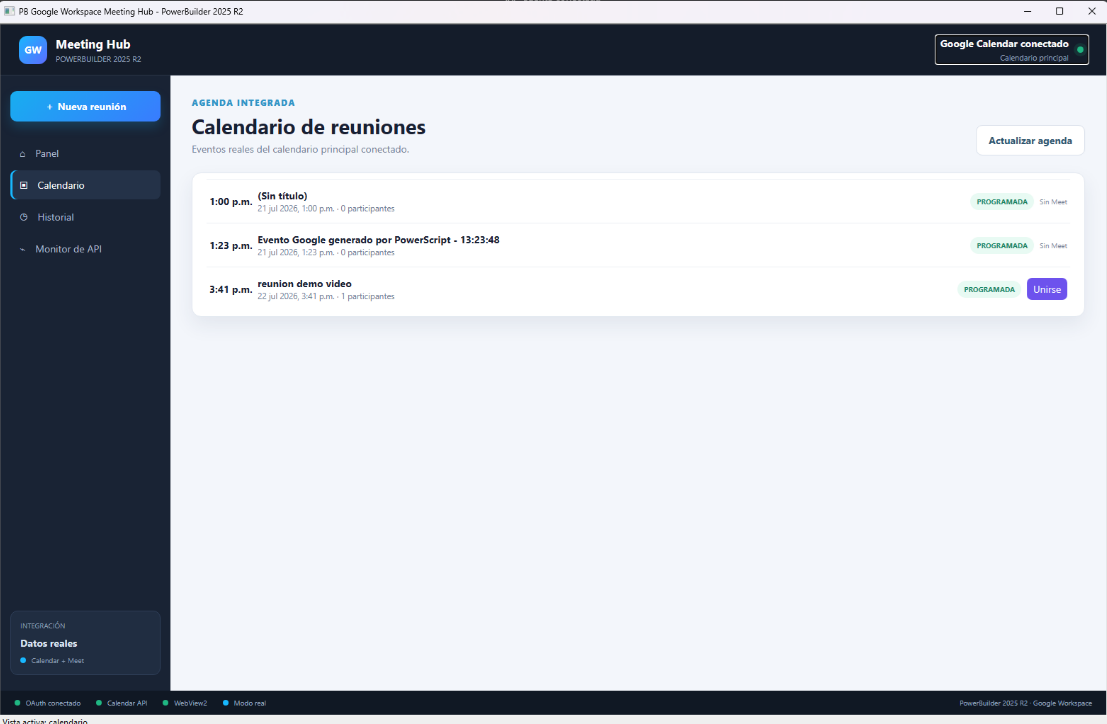
Invitations: delivery request and traceability
Adding attendees registers the participant on the event. The sendUpdates=all parameter requests notifications for every attendee. The response is inspected to confirm that the email was registered and to obtain responseStatus. This proves that Calendar accepted the request; final mail delivery depends on Google and the recipient's provider.
attendees array, response status, spam folder, and organizer policies. Do not treat the missing inbox message alone as proof that the POST failed.OAuth from PowerBuilder, without a helper executable
The demo opens authorization in the default browser through a system call and exchanges the code with HTTPClient inside PowerBuilder. Runtime web files are stored at the demo root, and no custom OAuth receiver .exe is required.
The teaching version lets the user paste the returned code or URL. A production distribution should complete the desktop-app flow with a loopback receiver and PKCE, and encrypt persisted secrets and tokens.
Synchronization and API monitor
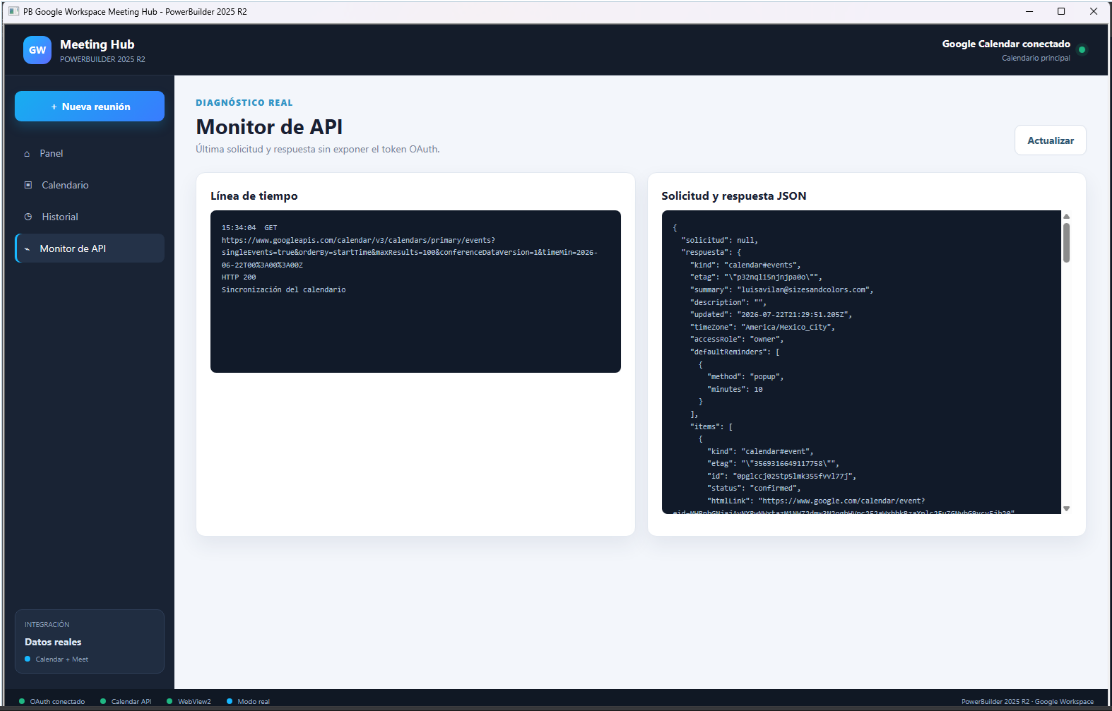
Synchronization runs Events.list with singleEvents=true, orderBy=startTime, and up to 100 items. PowerBuilder preserves the method, endpoint, body, response, and HTTP status so that the demo remains observable.
Open Google Meet inside PowerBuilder
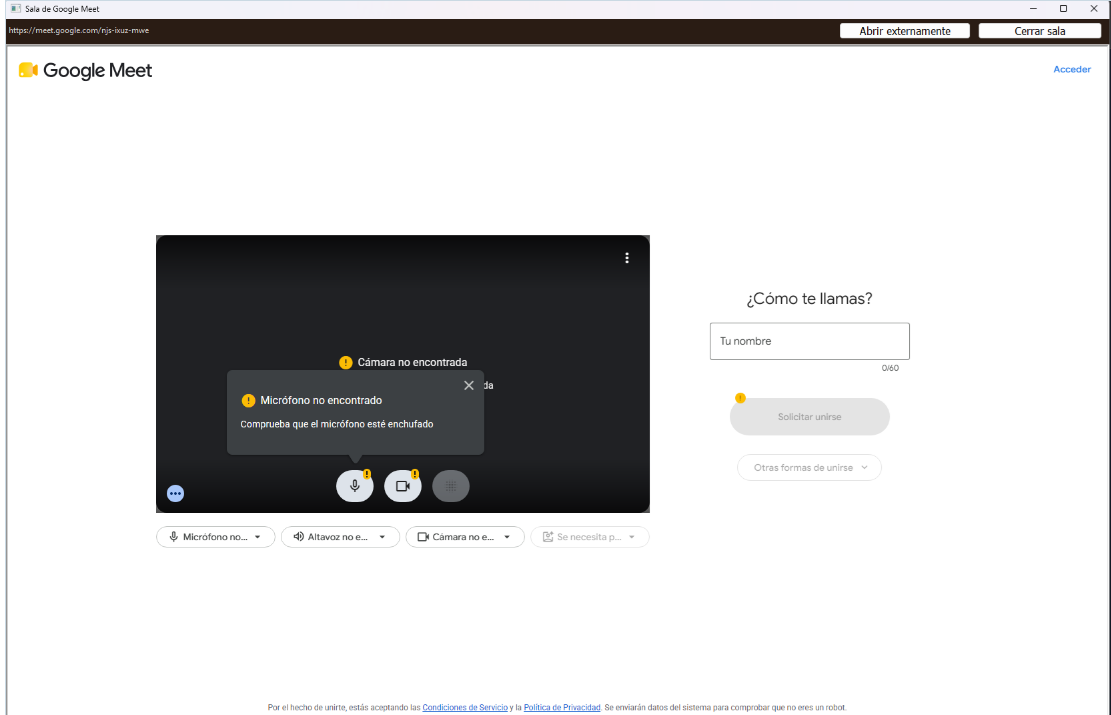
When the user selects Join, w_centro_reuniones opens w_sala_reunion and passes the link returned by Google. The window verifies the HTTPS scheme and runs wb_sala.Navigate(is_url_reunion). The external browser remains available as a fallback.
How to test the complete flow
- Configure a Desktop application OAuth client and enable Google Calendar API.
- Connect a test account from Meeting Hub.
- Select Reunión de prueba desde PowerScript.
- Confirm HTTP 200/201 in the monitor and the event in the connected calendar.
- Verify that
luisavilan@hotmail.comappears as an attendee. - Select Join and verify that Meet opens inside
w_sala_reunion.
Official references
OAuth 2.0 for installed applications · Create Calendar events · Events.insert · Events.list · Events resource and conference data
Conclusion
The project proves that a Google Workspace meeting can originate in natural PowerScript code. WebView2 provides a modern experience, while PowerBuilder retains business decisions, data, authentication, HTTPS calls, and traceability. The same method can be reused by any enterprise process that needs to publish a real meeting automatically.
Luis Avilan
This message has an attachment file.
Please log in or register to see it.
Please Log in or Create an account to join the conversation.