


Minefield Datawindow Game

This is a replica of the old minefield game developed using the Powerbuilder datawindow. Its a nice distraction and you can you it to maybe learn some datawindow techniques. One of the main differences is that you can select the size and difficulty of the minefield. It can be as large as your primary display which can make for a rather long game. The other main difference is that you can shut the game down and all the parameters are stored in a file so that you can continue at a later time. Also if you hit a mine and blow up you have the option of restoring your game to prior to the mine being hit. This is handy as you can easily have a minefield with thousands of mines, depending on the size of your display and the difficulty selected.
Load all files to the same folder. There is no database connection. The files used to store the data needed for restoration are saved in the application folder. These files are named minesweepparms.txt and minesweepdata.txt. You can store these in any location. Just alter the application open event to reflect this.
//If you want to store parameter files elsewhere, change here.
gs_current_directory = getcurrentdirectory() <<<<
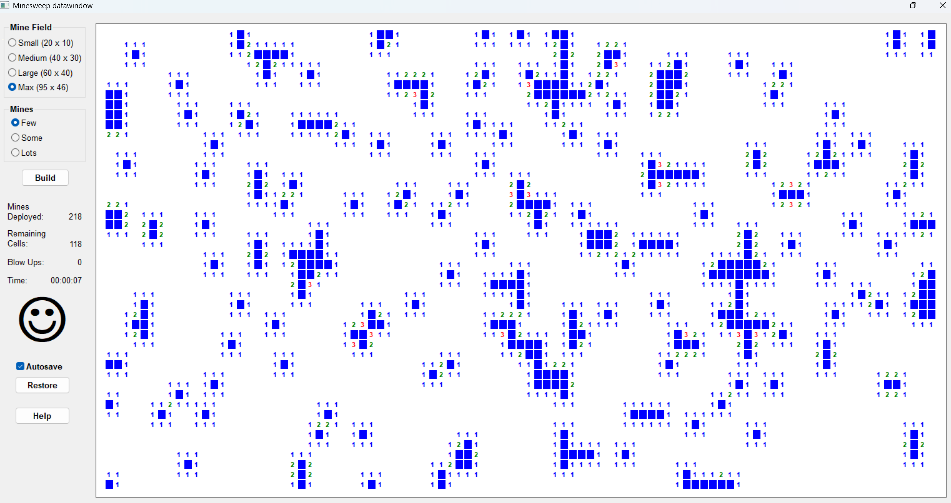
Enjoy!!!
This message has an attachment file.
Please log in or register to see it.
Please Log in or Create an account to join the conversation.